
Everything you need for
GTM setup
GTM Event Helper automates Google Tag Manager setup with smart CSS selectors that filter unstable identifiers, one-click trigger and tag creation via the GTM API, and an AI-powered batch setup wizard that configures events across GA4, Meta, TikTok, and 10+ ad platforms simultaneously. No code, no tab switching, no manual selector writing.
Get started in 2 minutes
Sign in, pick your workspace, create your first tag.
See it in action
Short demos of key features
Selectors
Advanced DOM interaction engine for resilient tracking
Smart CSS
Auto-generate the most robust CSS paths. Match count shows exactly how many elements are targeted.
Stability Badges
Instant reliability score based on DOM depth, attribute uniqueness, and CSS-in-JS hash detection.
CSS-in-JS Filtering
Regex-based exclusion for styled-components, emotion-js hashes, CSS modules, and random IDs.
AI Automation
PROAI-powered tracking setup across multiple platforms
AI Agent
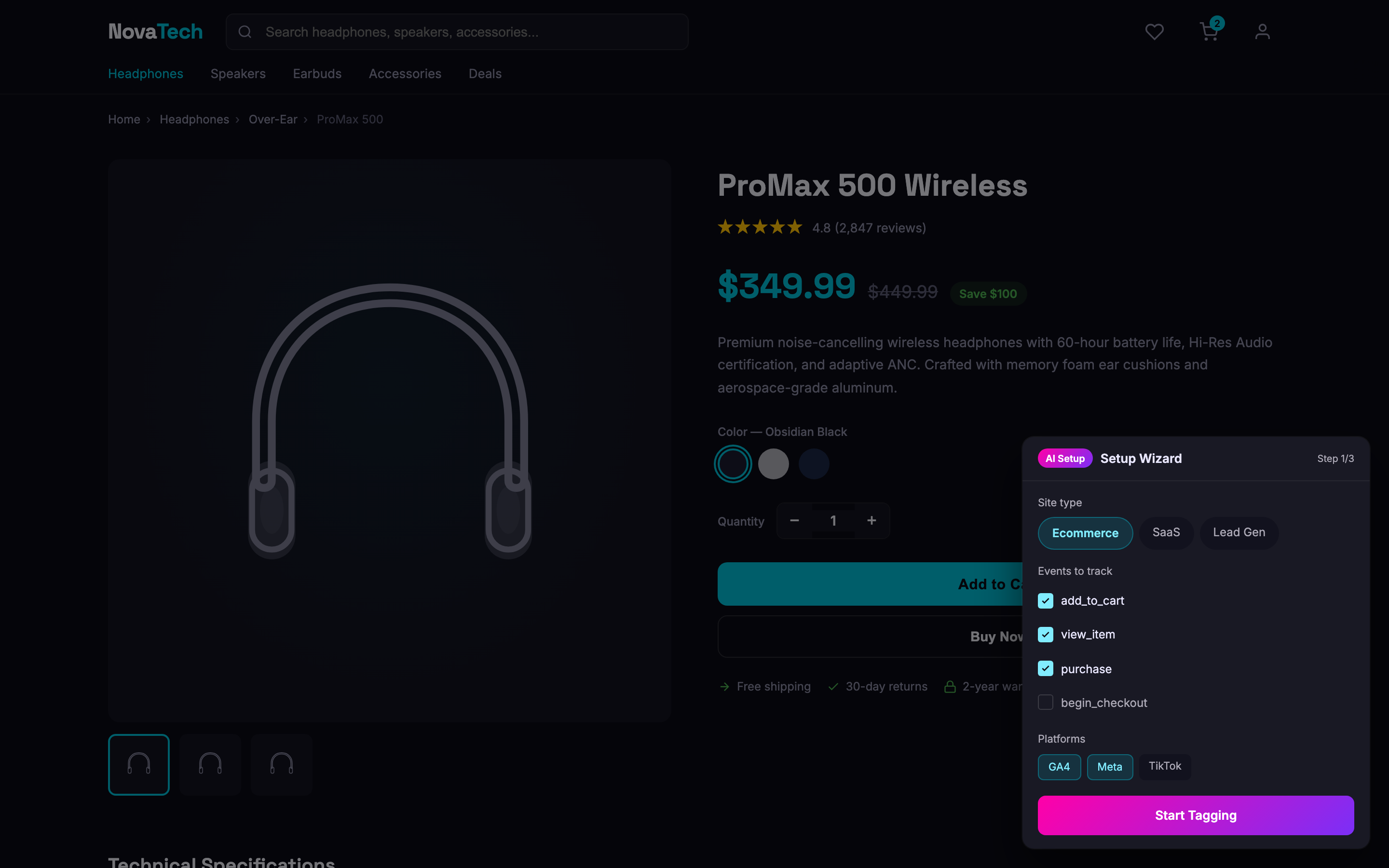
Pick an element on your page. AI detects the type (product, form, button), suggests event name and parameters, and creates tags across GA4, Meta, TikTok, and 10+ platforms in one click.
Multi-platform Batch
Configure GA4, Meta, TikTok, Pinterest, Snapchat simultaneously with shared trigger logic.
Ecommerce Detection
Auto-detect Shopify, WooCommerce, Magento. Maps 10 GA4 ecommerce events with product data extraction.
Workspace
Scale across unlimited domains and containers
Multi-container Support
Switch containers instantly, auto-detect GA4 Measurement ID
Template Presets
One-click bundles for Ecommerce, SaaS, Lead Gen
Export / Import
Backup triggers, tags, variables to JSON
Freeze Page
Catch dropdowns, tooltips, mega menus mid-state
Tag Creation
Build complex GTM hierarchies with one-click efficiency
One-click Trigger + Tag
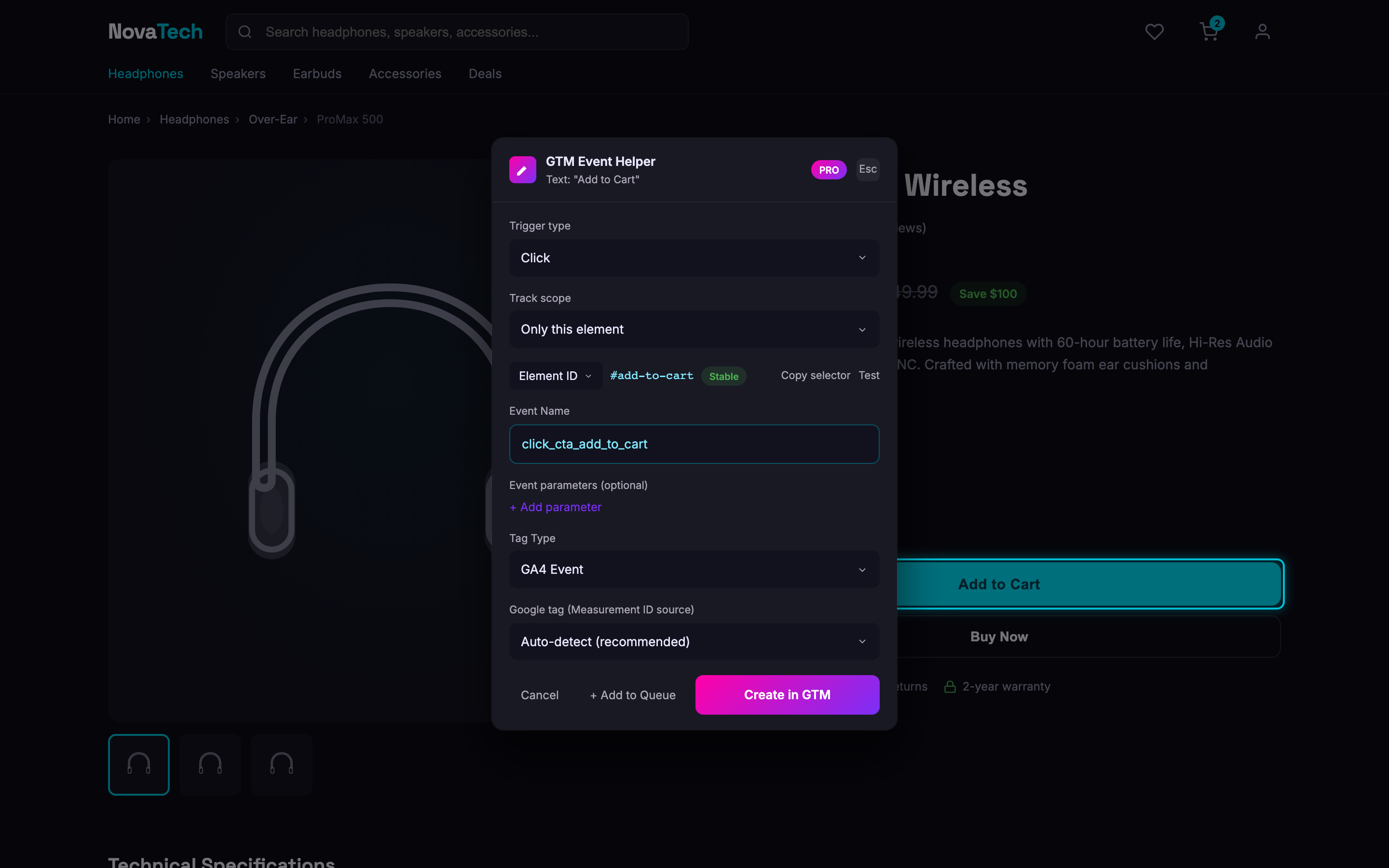
Create GTM triggers and tags simultaneously. No copying selectors, no switching tabs.
13+ Tag Types
GA4, Google Ads, LinkedIn, Meta, TikTok, Pinterest, Snapchat, Twitter/X, Reddit, Quora, Microsoft UET, custom HTML.
Auto-enable Variables
Detects and enables required built-in variables (Click Element, Click Classes, Form data) instantly.
Keyboard Shortcuts
- Ctrl+Shift+E / Cmd+Shift+E — toggle Select Mode on/off
- F — freeze / unfreeze the page (in select mode)
- Esc — close the modal
Save hours on every GTM setup
Compare manual setup time vs GTM Event Helper
Ready to speed up your GTM workflow?
Add to Chrome — FreeFree to use. No account required for core features.